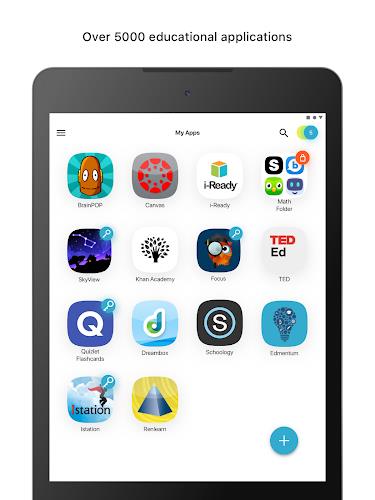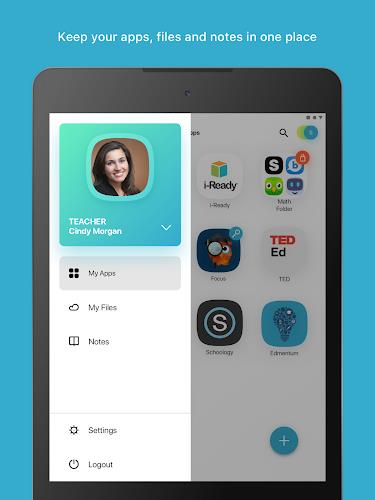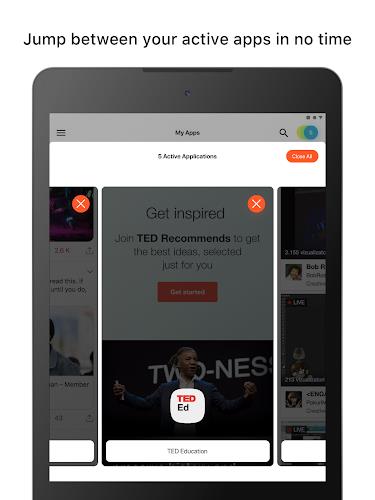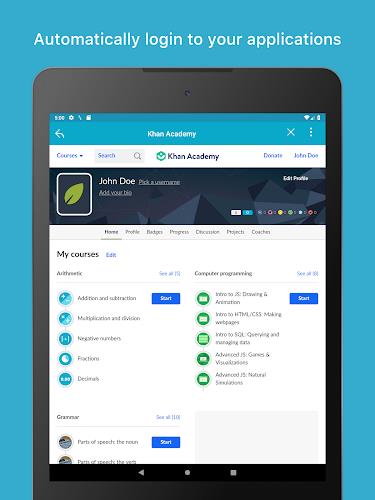

The ClassLink LaunchPad is a game-changer for students and educators alike, providing personalized, one-click access to a wide range of school resources. With real-time access to cloud drives and mapped Active Directory folders like Google Drive, O365, Dropbox, and more, LaunchPad streamlines the learning process by saving valuable time typically spent on logging in. Designed for easy use on various devices, this app is perfect for modern classrooms with 1to1 and BYOD initiatives. Say goodbye to the hassle of juggling multiple logins and hello to more efficient learning with LaunchPad.
Features of ClassLink LaunchPad:
Personalized Access: ClassLink LaunchPad provides personalized, single sign-on access to all your school resources with just one click. Say goodbye to the hassle of remembering multiple login credentials.
Thousands of Apps: With ClassLink LaunchPad, you can instantly access thousands of learning, productivity, and educational apps. Whether you're looking for resources for a project or to enhance your learning experience, this app has you covered.
Real-Time Access: Enjoy real-time access to your cloud drives and any mapped Active Directory folder, including Google Drive, O OneDrive, Dropbox, Box, and your school network folders. Stay connected and organized wherever you go.
Device Compatibility: ClassLink LaunchPad is designed for education and is compatible with a wide range of devices. Whether you're using a school-issued device or your own personal device, you can access your resources anytime, anywhere.
Playing Tips of ClassLink LaunchPad:
Organize Your Apps: Customize your LaunchPad dashboard by organizing your favorite apps and resources for quick and easy access. Drag and drop icons to create a layout that works best for you.
Utilize Search Bar: If you have a specific app or resource in mind, use the search bar feature to quickly locate it within LaunchPad. Save time navigating through the app library by typing in keywords.
Enable Notifications: Stay updated on important announcements, deadlines, and events by enabling notifications within the app settings. Be in the know and never miss out on valuable information from your school.
Conclusion:
In conclusion, ClassLink LaunchPad is a game-changer when it comes to accessing school resources efficiently and conveniently. With its personalized access, vast app library, real-time connectivity, and device compatibility, this app is the ultimate tool for students, teachers, and administrators alike. By following the playing tips mentioned above, users can maximize their experience with LaunchPad and streamline their workflow. Say goodbye to the hassle of logging in multiple times and hello to a seamless learning experience with ClassLink LaunchPad. Download the app today and take your education to the next level.
Additional APP Information
Version
1111
Size
14.00M
Language
English
Rating
4.1
Package Name
com.classlink.launchpad.android
Developer